
Team member
See what is due today, what comes next and what needs your input in simple coloured cards.
XERR PlanRelay · working browser beta
A working, low friction workspace for projects and PMOs in any industry, combining clear boards, backlogs, handoffs and dashboards with a controlled bridge from Primavera P6 XER and Microsoft Project XML.
The problem to remove
Backlogs, stories, boards, dashboards, automations, dependencies and reports are useful. But the experience becomes heavy when ordinary contributors must configure fields, understand specialist language or duplicate updates already controlled in the programme.
PlanRelay is designed around progressive simplicity: the interface starts with the next decision or update a person must make. Deeper controls appear only for the roles that need them.
The differentiator is not another colourful task board. It is the controlled translation layer between schedule owned work, human commitments, project evidence and planner approved return changes.
One source, different experiences
See what is due today, what comes next and what needs your input in simple coloured cards.
Schedule mapping, data dates, logic effects, progress proposals and the controlled return register.
Commitments, overdue decisions, blocked handoffs, forecast exposure and accountable owners.
A small exception view showing decisions required, delivery confidence and unresolved cross team dependencies.
Timezone aware handoffs, asynchronous updates, working status context and explicit response by times.
DEMO-101Complete access review
DEMO-102Approve design response
DEMO-103Validate work package evidence
DEMO-104Evidence before update
Working beta capabilities
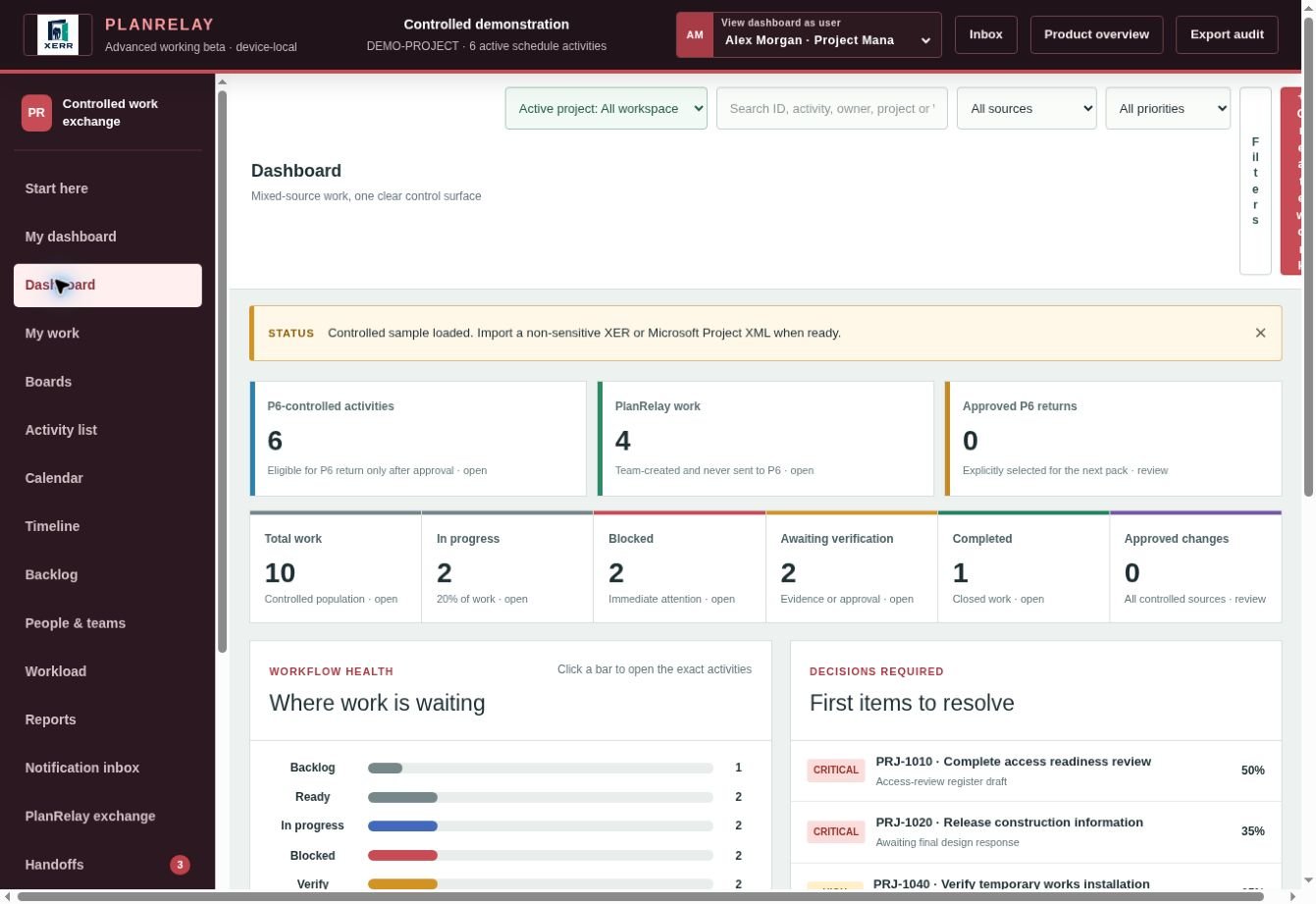
Test working boards, backlogs, role simple views, dashboards, schedule identities, relationship evidence, guided work creation, handoffs, field by field review and controlled exports in one browser local workspace.
Turn an activity, milestone, deliverable or request into a guided card without forcing every contributor to understand scheduling or Agile terminology.
Select the schedule population to publish, preserve original IDs and field mappings, and hold every proposed return change for planner approval.
Require the agreed proof, comment, quantity, document or photograph before a progress proposal is treated as ready for schedule review.
Show who is waiting for whom, what must happen first, when a handoff is likely to miss, and which downstream work may be affected.
Give each person only the fields and actions needed for their role while planners, managers and leaders retain deeper control views.
Retain the source value, proposed value, proposer, evidence, reviewer, decision and final export status for every controlled change.
Advanced workspace
PlanRelay now supports the daily views teams expect while solving the planning control problem generic work tools leave to manual spreadsheets and difficult weekly processes.
Keep P6 activities, Microsoft Project tasks and PlanRelay created work together. Automatic source badges and source filters make the P6 population instantly selectable without hiding team work.
Create boards grouped by status, owner, source or priority and scope them to one project, one owner or work from P6 without building queries or configuring a project scheme.
Create a new workspace, append a selected project or WBS population without duplicates, or refresh exact schedule matches while protecting unreviewed local proposals.
Create traceable in app events for owners, watchers and handoff recipients when assignment, status, blockers, evidence or schedule proposals change.
Match Project ID plus Activity ID against a fresh P6 Activities XLSX, exclude PlanRelay created work, block ambiguity and generate one approved field per return workbook.
Use a bulk activity list, delivery calendar, lightweight timeline, live filtered reports, plain language automations, comments and a reversible archive in the same workspace.
Controlled schedule exchange
The beta deliberately separates collaboration from the controlled schedule so the team can move quickly without giving the work management tool permission to overwrite planning logic.
Read P6 XER or Microsoft Project XML locally and fingerprint the source version.
Retain project, WBS, activity or task IDs and the source record for every work item.
Work becomes guided cards, handoffs, evidence requests and plain language commitments.
Teams propose progress, dates, blockers, evidence and remaining work information.
Source and proposed values, evidence and relationship context remain visible to the planner.
The planner approves field by field, then creates a field isolated P6 XLSX return pack plus a traceable manifest for controlled import and reconciliation.
The return gate
Use a change proposal you can review rather than automatic synchronisation that hides what changed.
The imported schedule version and selected population are identified before team work is issued.
Original project, WBS, activity and task identifiers remain attached to their work cards.
Team members can propose only authorised fields; controlled dates, logic and baselines remain planner governed.
Potential effects on successors, milestones, float or commitments are surfaced before approval.
Accept, reject or amend each proposed change with a reason, so every approval is clear.
The exact approved return package and audit trail are retained so the update can be traced and reconciled.
Differentiated workflow
The beta includes the Story Translator, Commitment Confidence, controlled handoffs, source linked relationship evidence, saved boards, mixed source reporting, relevant person notifications and an exact P6 return gate.
A guided builder produces a user story, acceptance criteria, deliverable card or schedule linked task from the same plain language prompt without forcing one delivery method.
Separates “someone changed a status” from a credible commitment using owner confirmation, evidence readiness, dependencies and due date confidence.
Records sender timezone, receiver timezone, response by time, acknowledgement and the downstream decision that will be delayed if the handoff is missed.
Shows which schedule relationships and successor milestones may be affected by a proposed date or remaining duration change before approval.
Each published work package states exactly which fields the team may propose, what evidence is required and who owns the final schedule decision.
Flags when narrative, card status, evidence date, reported percentage and schedule forecast tell different stories.
Measures how long work waits for clarification, acceptance or approval as well as the time it spends in a board column.
Uses colour as a communication aid for leadership needs and decision context, never as a personality label or automated judgement of a person.
PlanRelay working beta